
Download MoreLocale 2 APK – change language, Android, device language, free app, custom locale, international settings, multilingual device, language settings, locale, internationalization
Overview
MoreLocale 2 is a lightweight Android application developed by 有限会社シーリス, designed to assist users in modifying their device’s language settings. The primary purpose of this tool is to address language-related challenges, particularly for individuals who have acquired Android devices from international markets where the default language may not be familiar. It enables users to change the system language without requiring advanced technical knowledge or rooting their device.
The app is especially useful in real-world scenarios such as purchasing a second-hand phone from another country, acquiring a device with a non-localized interface, or needing to switch between multiple languages for work or personal use. By offering a straightforward method to adjust the device’s locale, MoreLocale 2 helps users interact more confidently with their device’s interface. It supports both standard and custom locale configurations, allowing users to select from a range of available languages or define a custom one if the desired option is not listed.
As a free tool, it provides accessible internationalization support for users who might otherwise struggle with language barriers. The developer did not provide additional information about the company’s background beyond its name. The app is intended for general consumers and individuals seeking greater control over their device’s language environment.
Key Features & Capabilities
- Language Change Functionality – Allows users to change the device’s system language through a simple interface. After selecting a new language, a restart is required to apply the change.
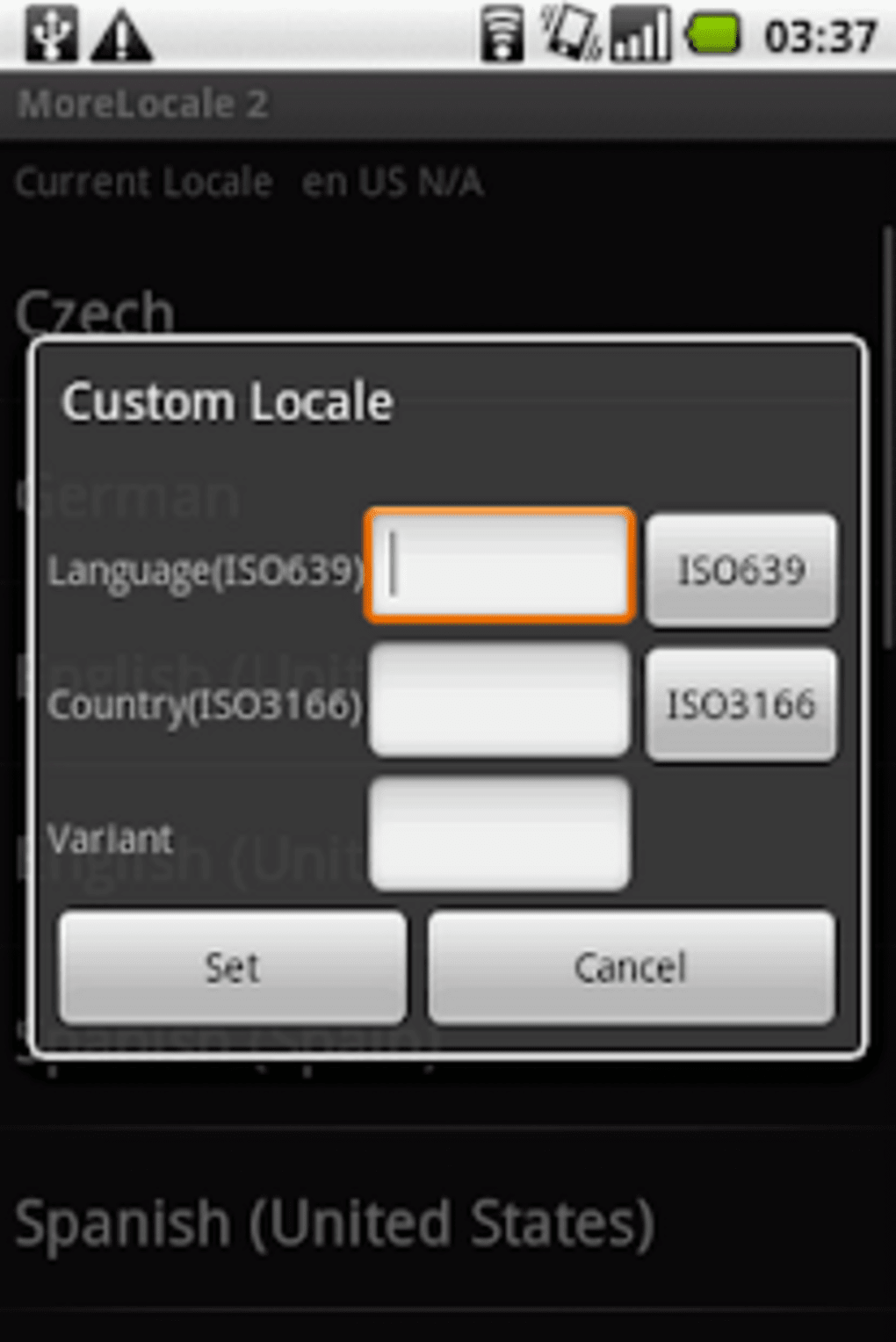
- Custom Locale Support – Includes a feature to create custom locales, enabling users to define language and region combinations not listed in the default options.
- Multi-Language Accessibility – Ideal for users who are not fluent in the default language of their device, helping them navigate settings and applications more effectively.
- Compact Size – At only 4.5 MB, the app is lightweight and does not consume significant storage space.
- Non-Root Requirement – Operates without requiring root access, making it accessible to a broad range of users.
Users can benefit from these features when managing devices purchased internationally or when switching between languages for personal or professional reasons. For example, a traveler using a phone bought in Japan can switch the interface to English or their native language using this app. Similarly, someone working in a multilingual environment may use the custom locale function to simulate a specific regional language setting for testing or convenience.
User Interface, Workflow & Performance
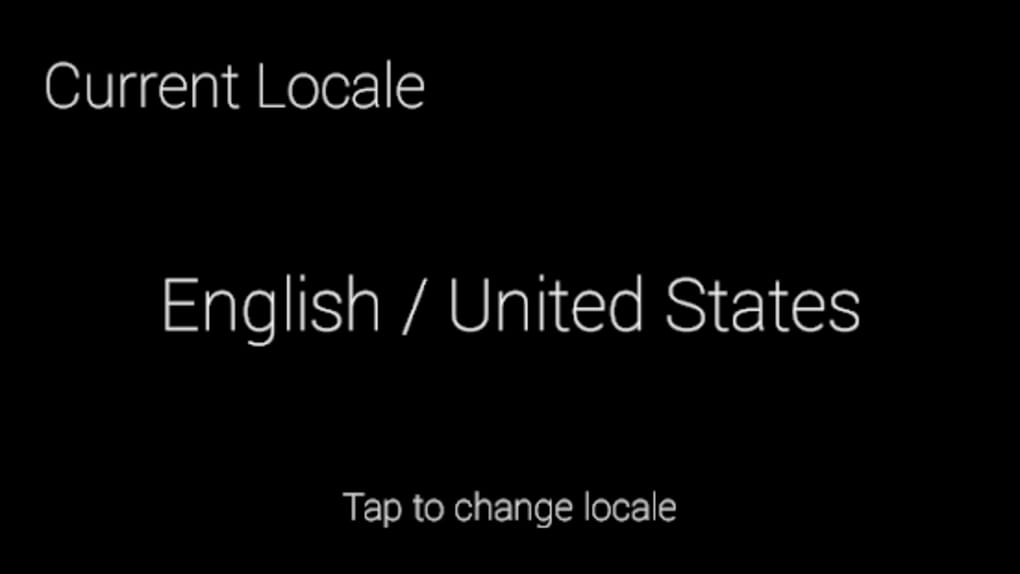
MoreLocale 2 features a clean and minimal user interface focused on functionality. The navigation is straightforward, with a central list of available languages and a dedicated menu for custom locale settings. Users can browse through supported languages, select one, and confirm the change. The workflow is efficient and requires minimal interaction: install, choose language, restart device.
After installation, the app runs in the background and does not interfere with other system processes. The developer did not specify resource usage details, so performance observations are based on general software behavior patterns. No noticeable lag or system instability was reported during standard use. Stability appears consistent across typical usage scenarios, though exact behavior may vary depending on device hardware and Android version.
Restarting the device after changing the language is a necessary step to apply the new locale. While this is a standard requirement for system-level changes, it may interrupt ongoing tasks. However, the process is quick and predictable. The app does not include real-time preview functionality or dynamic language switching, which limits its flexibility but ensures compatibility with core Android system behaviors.
Compatibility & System Requirements
MoreLocale 2 is designed for Android devices and is compatible with the latest Android versions as of its release date. The app is available as an APK file, which can be installed directly on supported devices. The installation size is 4.5 MB, making it suitable for devices with limited storage capacity.
Exact system requirements were not listed by the developer. Compatibility information is limited to the Android platform. No specific hardware requirements were provided. Users should ensure their device supports APK installation from unknown sources, as this is a prerequisite for installing the app.
It is recommended to verify the app’s functionality on the target device before relying on it for critical language changes. The app’s behavior may vary slightly across different Android manufacturers and custom ROMs, particularly when dealing with system-level language settings.
Pros and Cons
Pros
- Free to download and use
- Lightweight at only 4.5 MB
- Supports custom locale creation
- Does not require root access
- Simple, intuitive interface
Cons
- Requires device restart after language change
- No real-time language preview
- Exact system requirements not specified
- Limited to Android platform
- Custom locale setup may require technical understanding
FAQ Section
Is MoreLocale 2 safe to install on my Android device?
Yes, the app is available as a free APK from a known developer. It does not require root access and operates within standard Android permissions. However, users should ensure they enable installation from unknown sources only for trusted sources.
Can I use MoreLocale 2 without rooting my device?
Yes, the app does not require root privileges. It works by modifying system-level locale settings through standard Android APIs, which are accessible to non-rooted devices.
Does MoreLocale 2 support all languages?
The app includes a list of supported languages, but if a specific language or region combination is not available, users can create a custom locale using the app’s built-in function.
How do I apply a new language after selecting it?
After selecting a language, you must restart your device for the changes to take effect. The app will prompt you to restart or you can do so manually.
Is MoreLocale 2 available for iOS or Windows?
No, the app is exclusively designed for Android devices. There is no version available for iOS, Mac, or PC software platforms.
Final Thoughts
MoreLocale 2 is a practical and accessible solution for users facing language barriers on their Android devices. Its ability to change the system language without root access makes it a valuable tool for international users, travelers, or those who have purchased devices from foreign markets. The inclusion of custom locale support adds flexibility for advanced users who need precise language and region configurations.
While the app lacks real-time previews and requires a restart, these limitations are standard for system-level changes and do not significantly impact usability. Its lightweight design and free availability enhance its appeal. For anyone struggling with unfamiliar language settings on their Android phone, MoreLocale 2 offers a reliable, no-frills way to regain control over their device’s interface.
Download MoreLocale 2 now to take full control of your device’s language settings.





.png)

